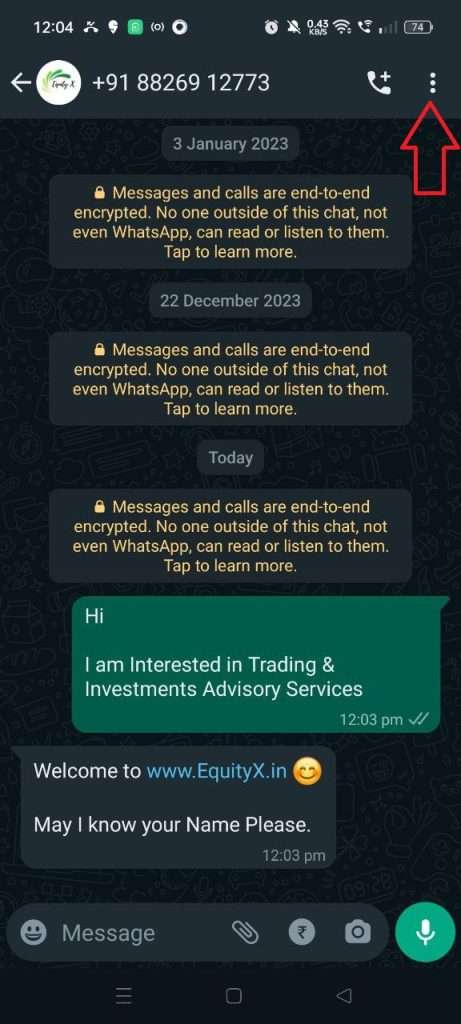
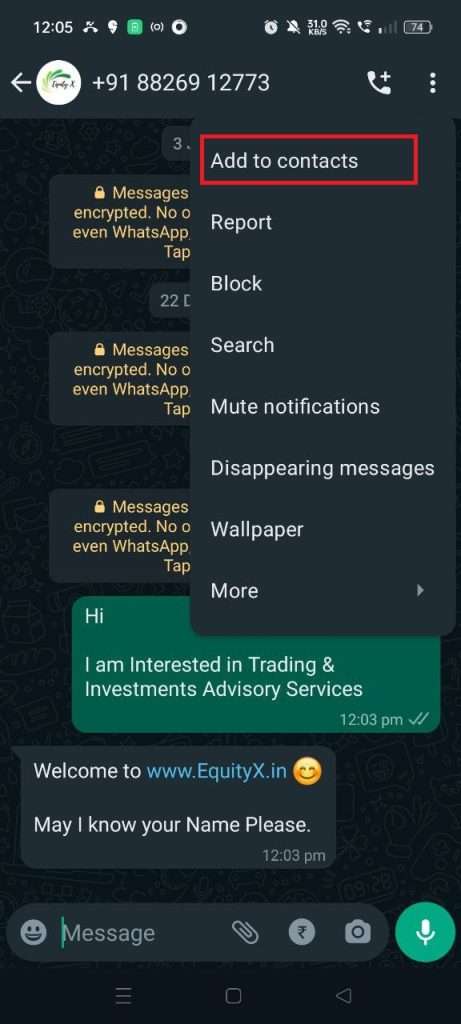
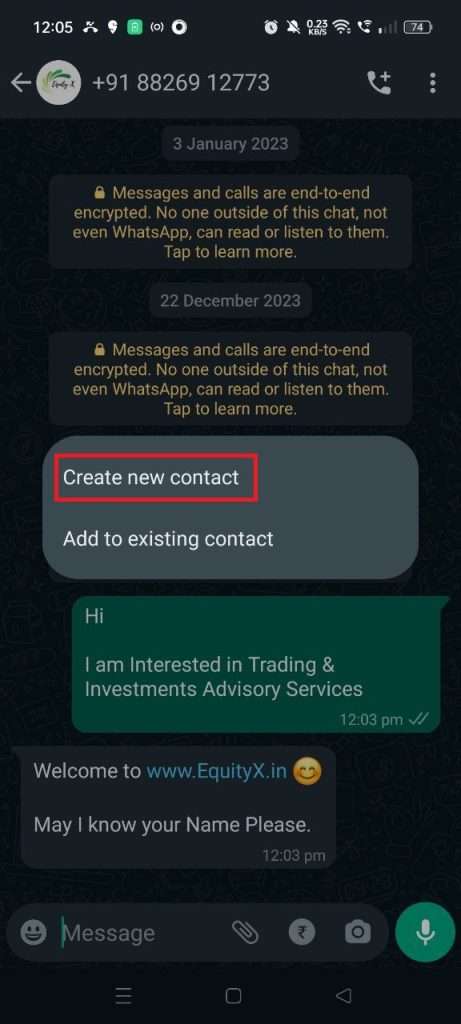
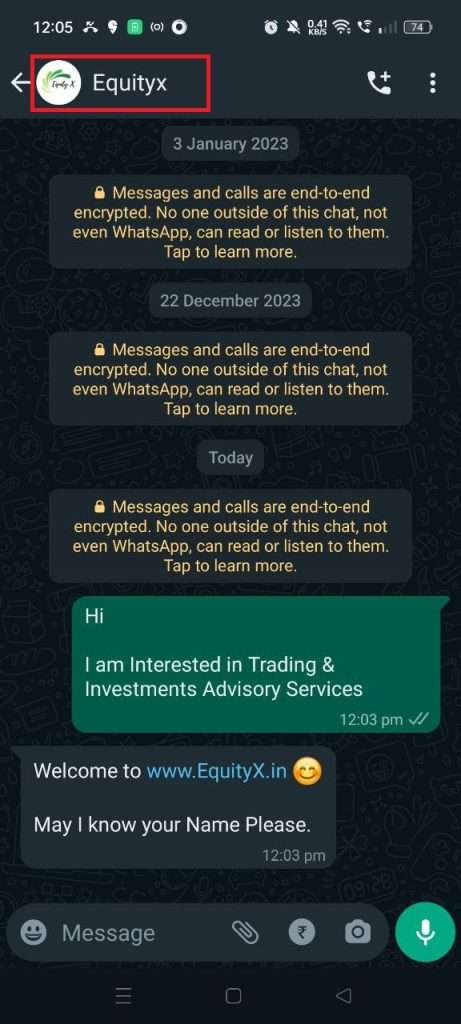
To save a contact in WhatsApp, open the chat with the unknown number, tap the three-dot menu (Android) or the contact's name at the top (iPhone), and select "Add to Contacts." You can then create a new contact or add the number to an existing one. Once saved, the name — not the number — appears in your chat list and message threads.
What Does "Save Contact in WhatsApp" Actually Mean?
Saving a contact in WhatsApp links a phone number to a display name within the WhatsApp interface. On most devices, this action also saves the contact to your phone's default address book (Google Contacts on Android or iCloud Contacts on iPhone), making the name visible across your phone, not just inside WhatsApp.
How Do I Save a WhatsApp Contact Without Saving It to My Phone?
WhatsApp does not offer a native option to store a contact exclusively inside the app without also saving it to your device's address book. As of 2026, any contact created through WhatsApp's "Add to Contacts" feature writes the entry to the system contacts on both Android and iOS.
Can I Edit a Contact's Name After Saving Them in WhatsApp?
Yes. Go to your device's contacts app, locate the WhatsApp contact, and edit the name there. The change syncs automatically to WhatsApp the next time you open the app or refresh the chat list.
Why Does a Saved Contact Still Show as a Number in WhatsApp?
This usually happens because the number in your phone's contacts is not formatted exactly the same way as the number in the WhatsApp chat (for example, missing a country code or having extra digits). Update the phone number in your device's contacts to match the format shown in the WhatsApp chat header.
Does Saving a Contact in WhatsApp Also Save Their Profile Photo?
No. Saving a contact only stores the name and phone number. The profile photo, status, and "About" information are fetched from WhatsApp's servers in real time and are not saved locally as part of the contact record.
Can I Save the Same Number Under Different Names in WhatsApp?
No. A single phone number can only have one entry in your device's contacts. If you try to save the same number again, your phone will prompt you to merge or update the existing contact rather than create a duplicate.